Messages, requests and meeting proposals
On BullWife, nobody can message you unless you want them to. The first message arrives as a request; after that, the chat has everything you need to get to know each other and plan a meeting.
Updated on November 1, 2026 3 min read
Messages are the heart of BullWife. They are designed for getting to know each other calmly, without pressure: whoever receives a message always decides whether to reply, and when it's time to meet there is a dedicated tool to agree on the details.
The first message is a request
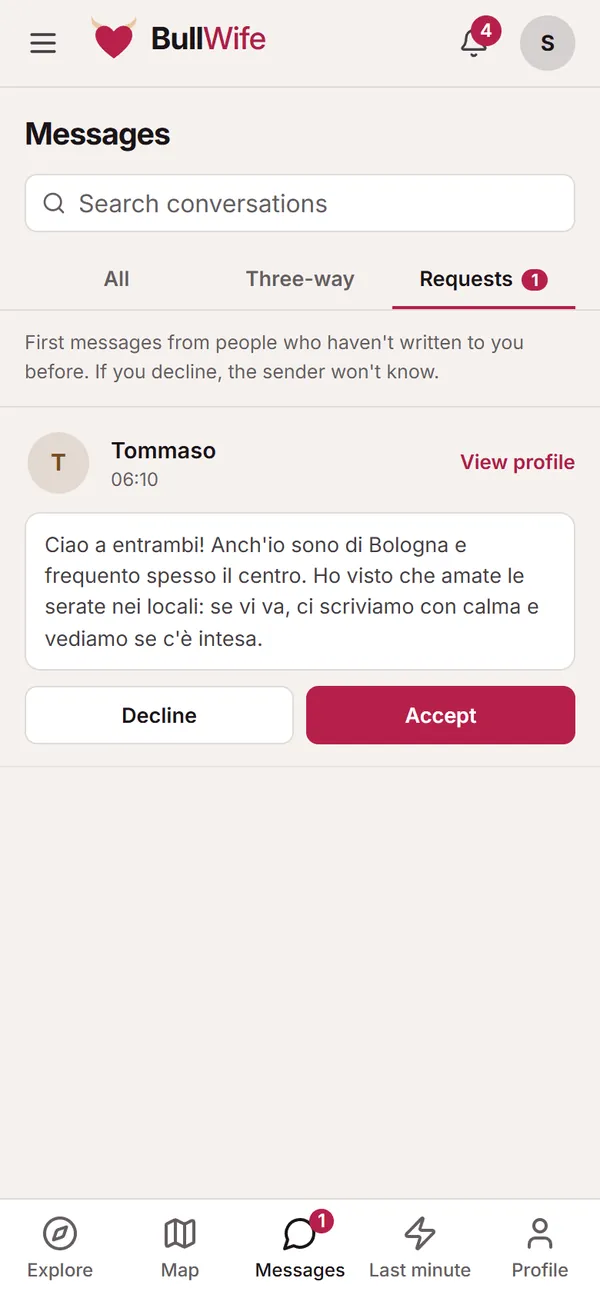
On someone's profile, tap Message and introduce yourself. Your message doesn't open a chat straight away: it lands in the other person's Requests, where they can:
- Accept: the conversation opens and you can write to each other;
- Decline: the request disappears, and the sender isn't told.
This way nobody's inbox fills up with unwanted messages. Our advice: write a real first message that shows you've read the profile. A bare "Hi" is rarely accepted.
The Messages tabs
In Messages you'll find three tabs:
- All: your open conversations, with the latest message.
- Three-way: conversations between a couple and a single person. She, he and the bull are in the same chat: everyone sees everything and nobody is left out.
- Requests: first messages waiting for a reply.
Use the search at the top to find a conversation by name.
The chat
In the chat you can see whether the other person is online and when they're typing. The ⋯ menu next to each message lets you copy the text; the ⋮ menu at the top opens the conversation info, the shared media and the option to report.
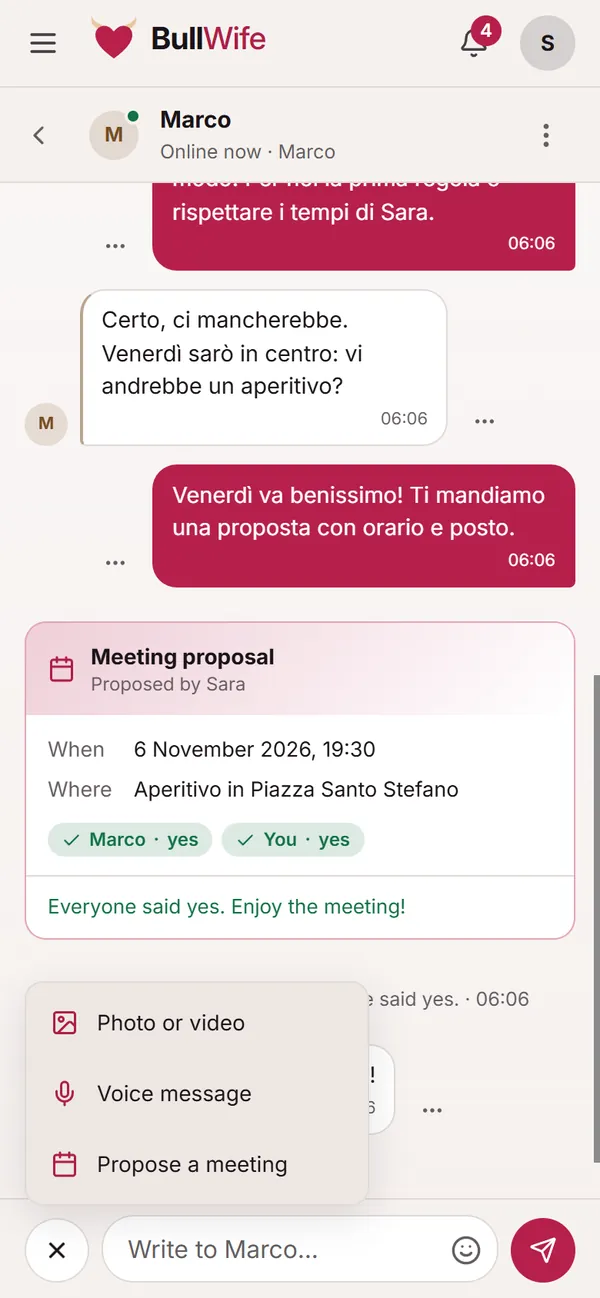
With the + button next to the text field you can send:
- photos or videos, including view once;
- a voice message;
- a meeting proposal.
There's also an emoji picker, to the right of the text field.
View-once photos and videos
When you send a photo or a video you can turn on View once: the recipient can open it only once, then it disappears. It can't be reopened, and the chat only shows that it is no longer available.
Screenshots can't be blocked technically, but the community guidelines are clear: photos received in chat must not be captured or shared. Anyone who does so risks having their account suspended or closed.
Proposing a meeting
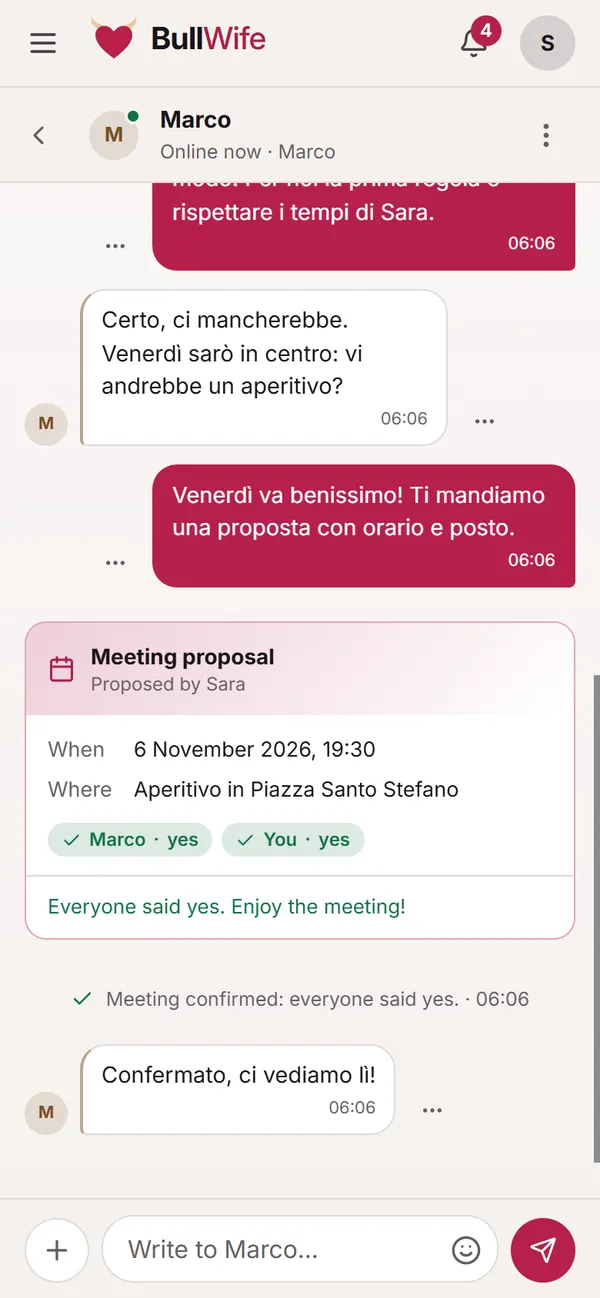
Once you've got to know each other well enough, choose Propose a meeting from the + menu: you set when and where (a public place is best for the first time). The proposal appears in the chat as a card, and everyone answers Confirm or Can't make it.
When everyone has said yes, the card turns green: "Everyone said yes. Enjoy the meeting!". In three-way chats, the proposal is only confirmed if all three agree.
Tips for a good conversation
- Respect their pace. Couples often reply together, in the evening: don't push.
- Talk about boundaries before, not during. They're already on the profile; the chat is for clarifying them.
- Have a video call before you meet: two minutes avoid nasty surprises.
- No money. No decent person will ask you for money or top-ups. If it happens, report it.
To never miss a message, turn on notifications.
Screenshots show sample profiles, not real members.