How to find couples, women and bulls near you
Explore shows you nearby profiles sorted by affinity; filters help you narrow things down; the Map tells you who is around right now. Here is how to use them.
Updated on November 1, 2026 4 min read
Finding the right people is not about numbers: what matters is finding people who live this lifestyle the way you do. BullWife helps you with three tools: Explore, the filters and the Map.
Explore: profiles near you
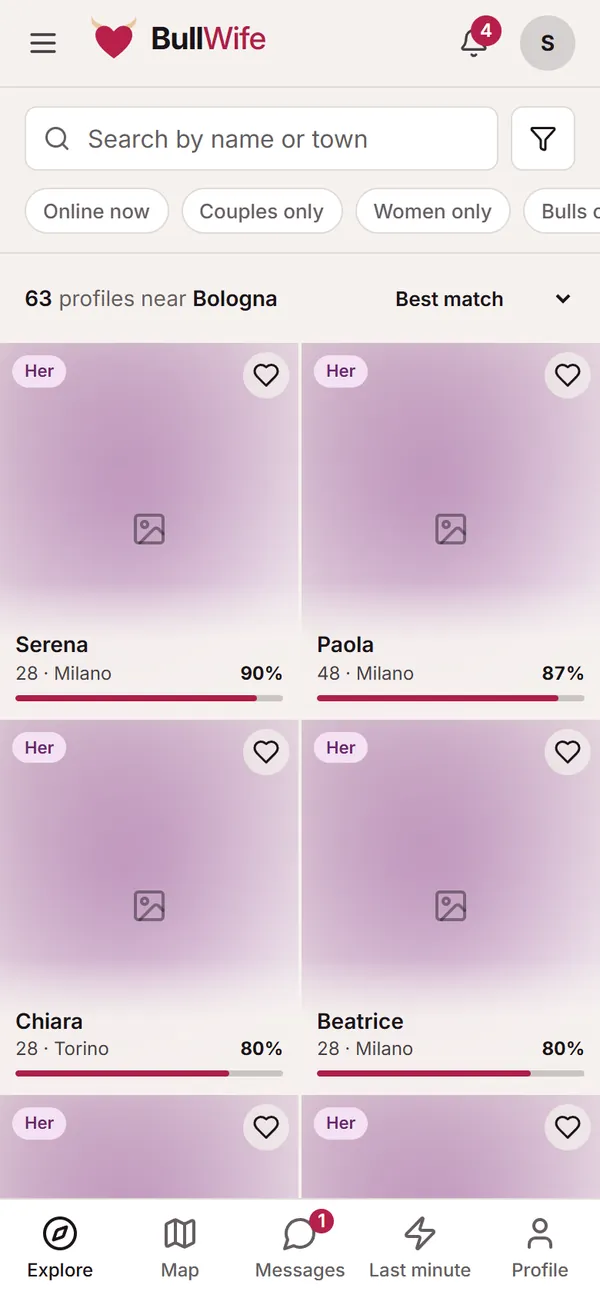
Open Explore from the bar at the bottom. You will see profiles near your town, with their profile type, name, age, town and a match bar.
- At the top you can search by name or town: useful if you travel often or want to see who is in another area.
- The quick choices below the search (Online now, Couples only, Women only, Bulls only…) filter with a single tap.
- Sort by changes the order: best match, nearest, newest or recently online.
- The heart on a card saves the profile to your favourites.
Filters
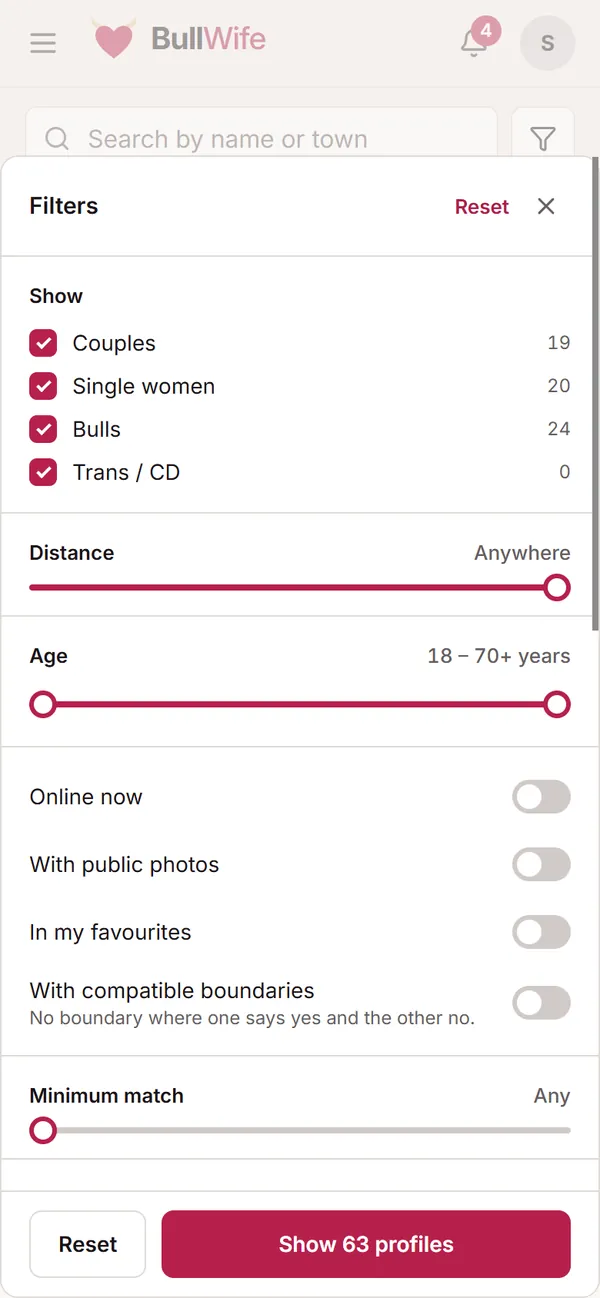
Tap the filter icon next to the search. In the panel you can choose:
- Show: couples, single women, bulls, trans / CD, with the number of profiles for each.
- Distance and Age, with two sliders.
- Online now, With public photos and In my favourites.
- With compatible boundaries: only profiles where there is no boundary on which one of you says yes and the other says no.
- Minimum match, the boundaries that are essential for you and availability (daytime, evenings, weekends, also last minute).
- For those who want to go into detail: appearance, identity and orientation, spoken language and tags.
The button at the bottom already tells you how many profiles you will find: Show 63 profiles. Reset takes you back to the starting search.
How the match is calculated
The percentage goes from 0 to 100 and compares the two profiles on three things:
- Who you are looking for: whether each of you is looking for the other's profile type (a couple looking for a bull and a bull looking for couples).
- Boundaries, the part that weighs most: the same answer counts in full, "To discuss" counts half, yes against no lowers the score.
- Style: the words you have in common among those chosen on your profiles, such as "No rush" or "Club nights".
Age and distance do not count towards the score: you set them with the filters. That is why it pays to fill in your boundaries and style carefully: the clearer they are, the more reliable the percentage.
The profile
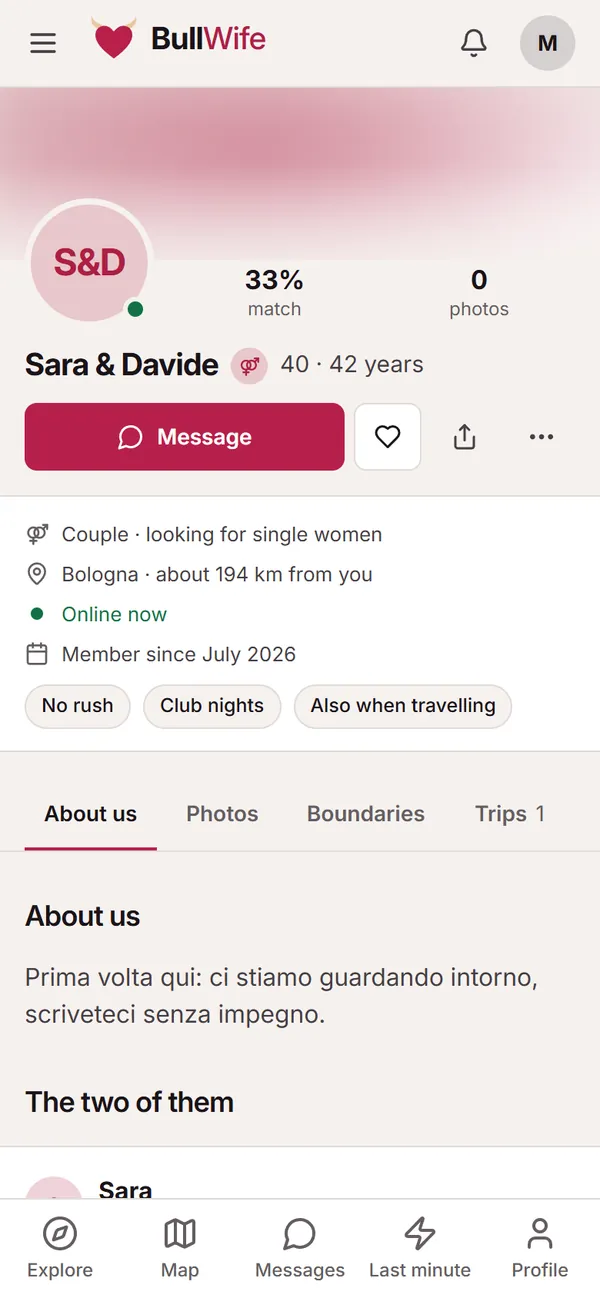
Tap a card to open the profile. At the top you see the match, the number of public photos, whether the person is online and the approximate distance. Below are the About us, Photos, Boundaries and Trips tabs.
From here you can:
- tap Message to send the first message (see the guide to messages);
- save the profile with the heart;
- share it with your partner;
- from the ⋯ menu, report or block it (see the safety guide).
The Map: who is around right now
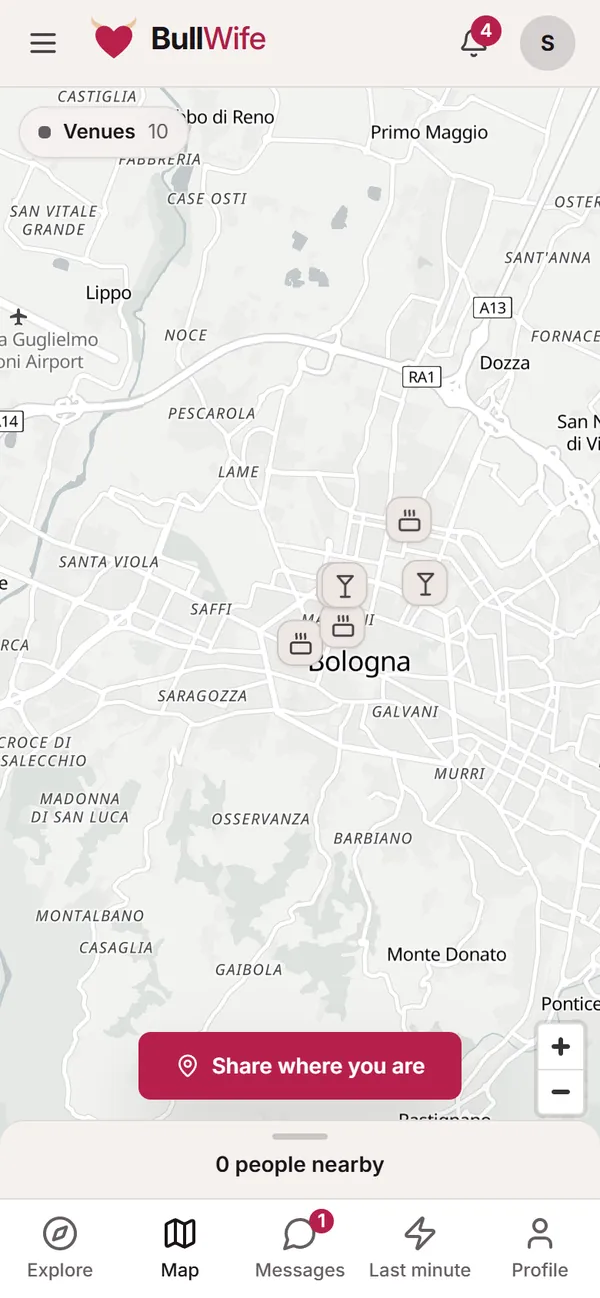
The Map shows who has chosen to be visible nearby right now, together with venues. It only works if you share your area too: tap Share where you are, use your location or tap the map, and choose how long to stay visible.
Privacy comes first:
- each profile appears within an area of about 1 km, never at the exact spot;
- your precise location never leaves your phone;
- sharing expires on its own, and Stop ends it immediately.
Tips for better searches
- Start wide, then narrow down. In smaller towns it is worth widening the distance.
- Check boundaries before writing. They save you conversations that go nowhere.
- Use favourites to find the profiles that caught your eye again and write when you feel ready.
- Check back now and then. New members join every day: sort by Newest.
Screenshots show sample profiles, not real members.