How to sign up and create your profile
It only takes a few minutes. Choose who you are, confirm your email and complete your profile in five short steps: the clearer it is, the more the right people will write to you.
Updated on November 1, 2026 4 min read
BullWife is a private community for adults only, designed for couples, hotwives, bulls and anyone who enjoys the cuckold lifestyle with respect and discretion. Signing up is free and your profile takes five steps to complete. Here is how it works, screen by screen.
1. Choose your profile type
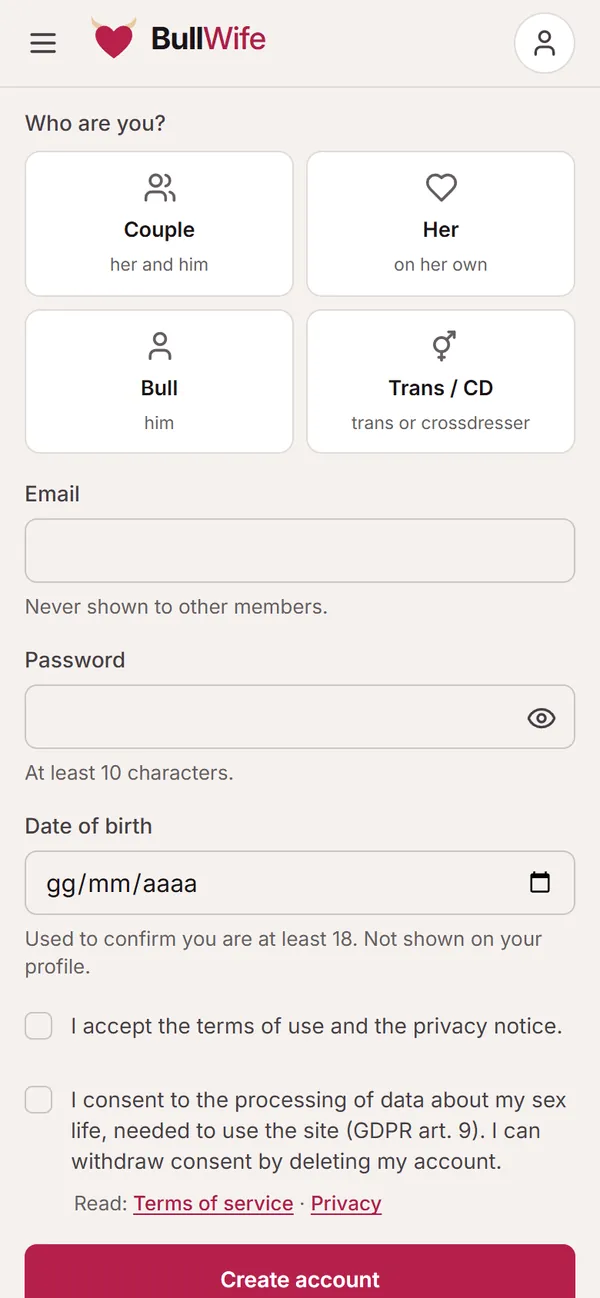
Open the Sign up page and first of all tell us who you are. Your profile type decides how others see you and which profiles we suggest to you:
- Couple: the two of you together, sharing a single profile.
- Her: a woman on her own, single or with a partner who is not joining.
- Bull: a man looking for couples or women.
- Trans / CD: trans people or crossdressers.
2. Email, password and date of birth
Enter a valid email address (it is never shown to other members) and a password of at least 10 characters. Alternatively, you can sign in with Google.
Your date of birth is only used to confirm that you are at least 18: your profile shows your age, never the date. Finally, you accept the terms of use and give your consent to the processing of data about your sex life: the law treats this as special-category data (GDPR art. 9), and without your consent we could not store it. You can withdraw it at any time by deleting your account.
After tapping Create account you will receive an email with a confirmation link: open it and you are in.
3. Complete your profile in five steps
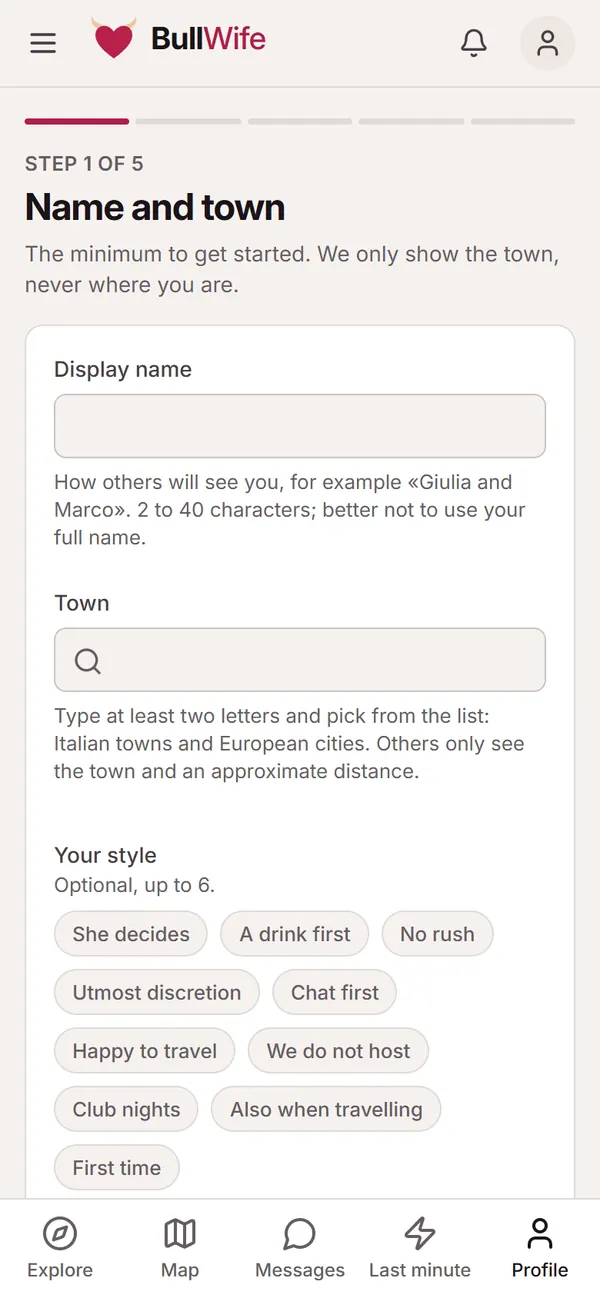
The first time you log in, we guide you through creating your profile. Each step is short: after the first one you can skip the rest with Skip for now and complete them whenever you like.
- Name and town: your display name (a nickname is fine, 2 to 40 characters) and your town. Others only see the town and an approximate distance, never where you are. Here you also choose up to six words that describe your style, such as "No rush" or "A drink first".
- The two of you (or the section about you, for single profiles): for each person on the profile, name, height, build, orientation, appearance and languages. Fill in only what you want.
- About you: a couple of lines introducing yourself. It is the first thing people read, so keep it honest and concrete.
- Boundaries: for each topic (meeting in a public place, a video call before meeting, protection, photos during the meeting…) you answer Yes, No or To discuss. Whoever writes to you already knows what to expect.
- What you are looking for: who you are looking for, their age, the maximum distance and your availability (daytime, evenings, weekends, also last minute).
A couple profile with two accounts
If you are a couple, your profile can have two accounts: one for her and one for him. From the The two of you section you create an invitation link and send it to your partner yourself. The link works only once and expires after 7 days; once your partner joins, they complete their own card and can edit the shared profile.
Editing your profile later
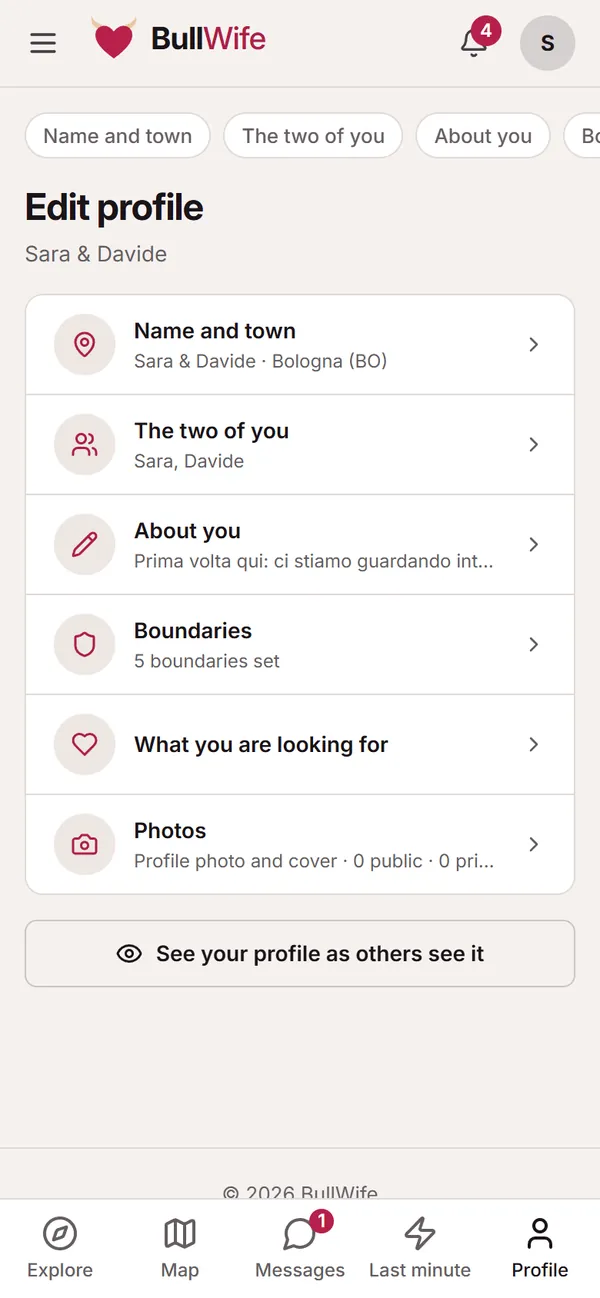
Under Profile → Edit you will find every section again: name and town, the two of you, about you, boundaries, what you are looking for, and photos. At the bottom there is See your profile as others see it, handy for a final check.
Tips for a profile that works
- Be specific. "Couple from Bologna, new to this, we like to get to know people slowly over a drink" works better than "Nice couple looking".
- Fill in your boundaries. After photos, they are the most-read part of a profile, and they raise your match with people who think like you.
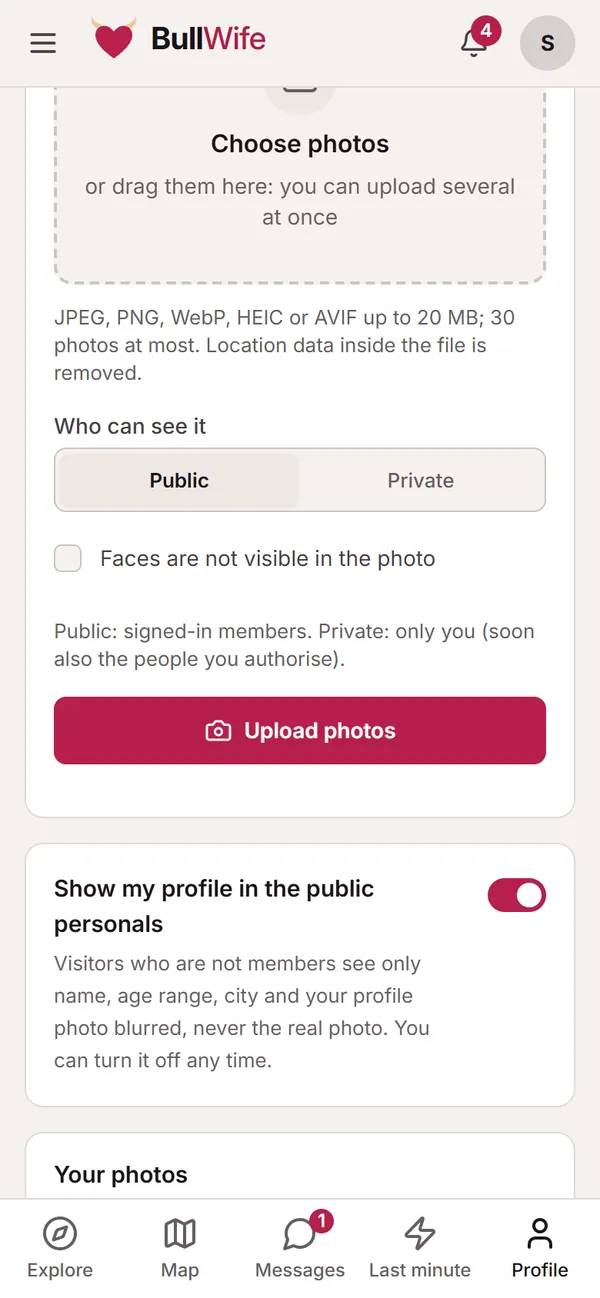
- Add a profile photo. Even without your face: profiles with a photo get many more messages. Read the guide to profile photos.
- Keep your availability up to date. If you are free one evening, there is also Last minute.
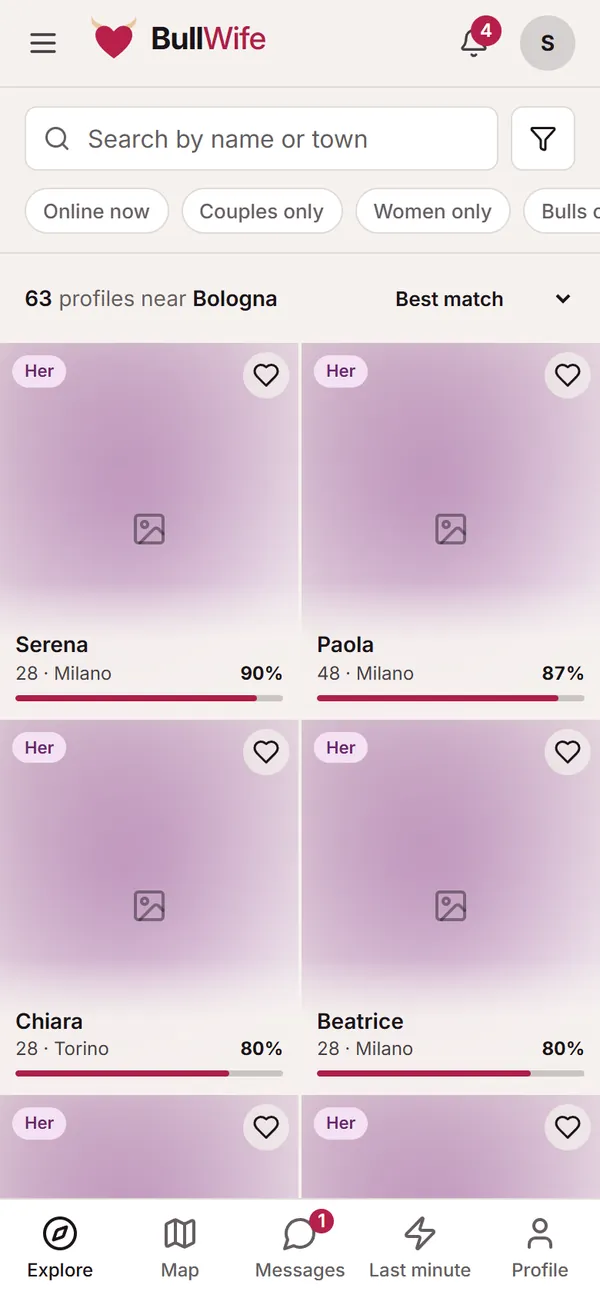
Next step: finding couples, women and bulls near you.
Screenshots show sample profiles, not real members.